
Which AI model should I use?
Choose an image model for frames and assets, or a video model for clips.
Published
Updated
Which AI model should I use in Yaklip?
For consistent cast frames, try Nano Banana 2.1 with references. For detail, try GPT Image 1 at High quality. For the cheapest video draft at matching settings, try Seedance 1 Lite. With active Pro and Studio, try Google Veo 3.1 or Kling 3.0 to animate your frame with optional audio. Google Veo 3 is hidden from selection; existing clips still display. Inspect your results. (as of November 2026.)
Choose a model
In Make my video, use the model button before starting. It shows the model and credits per clip at your current shot lengths; open it to compare models and the total for this video. The start button shows the credits for the clips that fit your spend limit. You can switch models any time before starting another run. Existing clips are reused. Pro models show a plan link when your plan cannot use them. Your last clip choice is remembered; an unavailable choice falls back to Seedance 1 Pro Fast. Editor dialogs have their existing model menus. Quick Start images still use Nano Banana 2.1.
All supported models
| Model | Purpose | Credits at default settings (as of November 2026) | Plans |
|---|---|---|---|
| GPT Image 1 | Try High quality for detail | 6 credits per image | Every plan |
| DALL·E 3 | Text-only images | 6 credits per image | Every plan |
| SeeDream 4 | Try for reference-based frames and assets | 4 credits per image | Every plan |
| Nano Banana 2.1 | Cast reference frames; Quick Start images | 4 credits per image | Every plan |
| Nano Banana Pro | Image compositing and text with up to 14 references | 15 credits per image | Pro and Studio |
| Flux Fill Pro (Inpaint) | Edit a masked area of an image | 5 credits per image | Every plan |
| OmniHuman 1.5 (talking) | Talking or singing characters and presenters | 16 × ceil(audio seconds) credits per clip (audio required) | Creator, Pro, Studio |
| Kling v2.5 Turbo Pro | Try another frame-animation take | 35 credits per clip (5 seconds) | Every plan |
| Google Veo 3.1 | Frame animation with optional audio | 320 credits per clip (8 seconds) | Pro and Studio |
| Kling 3.0 | Frame animation with quality and audio choices | 84 credits per clip (5 seconds) | Pro and Studio |
| Seedance 1 Lite | Lower-cost motion drafts at matching settings | 8 credits per clip (5 seconds) | Every plan |
| Seedance 1 Pro | Try another frame-animation take | 75 credits per clip (5 seconds) | Every plan |
| Seedance 1 Pro Fast | Quick Start clips | 12 credits per clip (5 seconds) | Every plan |
| Seedance 2.0 Mini | Short frame animation with optional synchronized audio; real faces may be refused | 44 credits per clip (5 seconds) | Every plan |
| Seedance 2.5 | Longer frame animation with optional synchronized audio; real faces may be refused | 112 credits per clip (5 seconds) | Pro and Studio |
| Hailuo 2.3 Fast | Short silent motion drafts; source-image ratio, no end frame; 1080p only at 6 seconds | 19 credits per clip (6 seconds) | Every plan |
| Kling 4.0 | Ordered start, middle and end frames; image-led framing | 113 credits per clip (5 seconds) | Pro and Studio |
Prices are as of November 2026, at each model's default settings. Duration, resolution, quality and audio can change the cost. Flux Fill Pro edits a masked image area. Hidden legacy models are unavailable for new selection.
Which image models can I choose?
| Image model | Try it for | Reference images? | Credits per image (as of November 2026) | Plan |
|---|---|---|---|---|
| GPT Image 1 | Try High quality for detail | Yes | low: 4; medium: 6; high: 15; auto: 6 | Every plan |
| DALL·E 3 | Text-only images | No | 6 | Every plan |
| SeeDream 4 | Try for reference-based frames and assets | Yes | 4 | Every plan |
| Nano Banana 2.1 | Cast reference frames; Quick Start images | Yes | 4 | Every plan |
| Nano Banana Pro | Image compositing and text with up to 14 references | Yes | 1K: 15; 2K: 15; 4K: 29 | Pro and Studio |
Which video models can I choose?
| Video model | Try it for | Input | Lengths (as of November 2026) | Resolution / Quality | Aspect Ratio | Audio control | Credits (as of November 2026) | Plan |
|---|---|---|---|---|---|---|---|---|
| OmniHuman 1.5 (talking) | Talking or singing characters and presenters | Selected frame + voiceover or uploaded audio | Audio length; under 35 seconds | Fast mode optional; same price | Follows frame | Required MP3, WAV or M4A | 16 × ceil(audio seconds) | Creator, Pro, Studio |
| Kling v2.5 Turbo Pro | Try another frame-animation take | Selected frame + text | 5 seconds, 10 seconds | Not exposed in the form | 16:9, 9:16, 1:1 | No sound switch in the form | 35 for 5 seconds | Every plan |
| Google Veo 3.1 | Frame animation with optional audio | Selected frame + text | 4 seconds, 6 seconds, 8 seconds | 720p, 1080p | 16:9, 9:16 | Generate Audio; default on | 4 seconds: 80 without audio / 160 with audio; 6 seconds: 120 without audio / 240 with audio; 8 seconds: 160 without audio / 320 with audio | Pro and Studio |
| Kling 3.0 | Frame animation with quality and audio choices | Selected frame + text | 5 seconds, 10 seconds | Standard 720p, Pro 1080p | 16:9, 9:16, 1:1 | Generate Audio; default off | Standard 720p, 5 seconds: 84 without audio / 126 with audio; Standard 720p, 10 seconds: 168 without audio / 252 with audio; Pro 1080p, 5 seconds: 112 without audio / 168 with audio; Pro 1080p, 10 seconds: 224 without audio / 336 with audio | Pro and Studio |
| Seedance 1 Lite | Lower-cost motion drafts at matching settings | Selected frame + text | 2–12 seconds | 480p, 720p, 1080p | 16:9 (Landscape), 9:16 (Portrait), 1:1 (Square) | No sound switch in the form | 8 for 5 seconds at 720p | Every plan |
| Seedance 1 Pro | Try another frame-animation take | Selected frame + text | 2–12 seconds | 480p, 720p, 1080p | 16:9 (Landscape), 9:16 (Portrait), 1:1 (Square) | No sound switch in the form | 30 for 5 seconds at 720p | Every plan |
| Seedance 1 Pro Fast | Quick Start clips | Selected frame + text | 2–10 seconds | 480p, 720p, 1080p | 16:9 (Landscape), 9:16 (Portrait), 1:1 (Square) | No sound switch in the form | 12 for 5 seconds at 720p | Every plan |
| Seedance 2.0 Mini | Short frame animation with optional synchronized audio; real faces may be refused | Selected frame + text | 4 seconds, 5 seconds, 6 seconds, 7 seconds, 8 seconds, 9 seconds, 10 seconds, 11 seconds, 12 seconds, 13 seconds, 14 seconds, 15 seconds | 480p, 720p | 16:9, 4:3, 1:1, 3:4, 9:16, 21:9, 9:21, adaptive | Generate Audio; default on | 480p, 4 seconds: 16 (audio on or off); 480p, 5 seconds: 20 (audio on or off); 480p, 6 seconds: 24 (audio on or off); 480p, 7 seconds: 27 (audio on or off); 480p, 8 seconds: 31 (audio on or off); 480p, 9 seconds: 35 (audio on or off); 480p, 10 seconds: 39 (audio on or off); 480p, 11 seconds: 43 (audio on or off); 480p, 12 seconds: 47 (audio on or off); 480p, 13 seconds: 50 (audio on or off); 480p, 14 seconds: 54 (audio on or off); 480p, 15 seconds: 58 (audio on or off); 720p, 4 seconds: 35 (audio on or off); 720p, 5 seconds: 44 (audio on or off); 720p, 6 seconds: 52 (audio on or off); 720p, 7 seconds: 61 (audio on or off); 720p, 8 seconds: 70 (audio on or off); 720p, 9 seconds: 78 (audio on or off); 720p, 10 seconds: 87 (audio on or off); 720p, 11 seconds: 96 (audio on or off); 720p, 12 seconds: 104 (audio on or off); 720p, 13 seconds: 113 (audio on or off); 720p, 14 seconds: 122 (audio on or off); 720p, 15 seconds: 130 (audio on or off) | Every plan |
| Seedance 2.5 | Longer frame animation with optional synchronized audio; real faces may be refused | Selected frame + text | 4 seconds, 5 seconds, 6 seconds, 7 seconds, 8 seconds, 9 seconds, 10 seconds, 11 seconds, 12 seconds, 13 seconds, 14 seconds, 15 seconds, 16 seconds, 17 seconds, 18 seconds, 19 seconds, 20 seconds, 21 seconds, 22 seconds, 23 seconds, 24 seconds, 25 seconds, 26 seconds, 27 seconds, 28 seconds, 29 seconds, 30 seconds | 480p, 720p | 16:9, 4:3, 1:1, 3:4, 9:16, 21:9, adaptive | Generate Audio; default on | 480p, 4 seconds: 40 (audio on or off); 480p, 5 seconds: 50 (audio on or off); 480p, 6 seconds: 60 (audio on or off); 480p, 7 seconds: 70 (audio on or off); 480p, 8 seconds: 80 (audio on or off); 480p, 9 seconds: 89 (audio on or off); 480p, 10 seconds: 99 (audio on or off); 480p, 11 seconds: 109 (audio on or off); 480p, 12 seconds: 119 (audio on or off); 480p, 13 seconds: 129 (audio on or off); 480p, 14 seconds: 139 (audio on or off); 480p, 15 seconds: 149 (audio on or off); 480p, 16 seconds: 159 (audio on or off); 480p, 17 seconds: 169 (audio on or off); 480p, 18 seconds: 178 (audio on or off); 480p, 19 seconds: 188 (audio on or off); 480p, 20 seconds: 198 (audio on or off); 480p, 21 seconds: 208 (audio on or off); 480p, 22 seconds: 218 (audio on or off); 480p, 23 seconds: 228 (audio on or off); 480p, 24 seconds: 238 (audio on or off); 480p, 25 seconds: 248 (audio on or off); 480p, 26 seconds: 257 (audio on or off); 480p, 27 seconds: 267 (audio on or off); 480p, 28 seconds: 277 (audio on or off); 480p, 29 seconds: 287 (audio on or off); 480p, 30 seconds: 297 (audio on or off); 720p, 4 seconds: 89 (audio on or off); 720p, 5 seconds: 112 (audio on or off); 720p, 6 seconds: 134 (audio on or off); 720p, 7 seconds: 156 (audio on or off); 720p, 8 seconds: 178 (audio on or off); 720p, 9 seconds: 201 (audio on or off); 720p, 10 seconds: 223 (audio on or off); 720p, 11 seconds: 245 (audio on or off); 720p, 12 seconds: 267 (audio on or off); 720p, 13 seconds: 289 (audio on or off); 720p, 14 seconds: 312 (audio on or off); 720p, 15 seconds: 334 (audio on or off); 720p, 16 seconds: 356 (audio on or off); 720p, 17 seconds: 378 (audio on or off); 720p, 18 seconds: 401 (audio on or off); 720p, 19 seconds: 423 (audio on or off); 720p, 20 seconds: 445 (audio on or off); 720p, 21 seconds: 467 (audio on or off); 720p, 22 seconds: 490 (audio on or off); 720p, 23 seconds: 512 (audio on or off); 720p, 24 seconds: 534 (audio on or off); 720p, 25 seconds: 556 (audio on or off); 720p, 26 seconds: 578 (audio on or off); 720p, 27 seconds: 601 (audio on or off); 720p, 28 seconds: 623 (audio on or off); 720p, 29 seconds: 645 (audio on or off); 720p, 30 seconds: 667 (audio on or off) | Pro and Studio |
| Hailuo 2.3 Fast | Short silent motion drafts; source-image ratio, no end frame; 1080p only at 6 seconds | Selected frame + text | 6 seconds, 10 seconds | 768p, 1080p | Not exposed in the form | No sound switch in the form | 768p, 6 seconds: 19; 768p, 10 seconds: 31; 1080p, 6 seconds: 32 | Every plan |
| Kling 4.0 | Ordered start, middle and end frames; image-led framing | Selected frame + text | 3 seconds, 4 seconds, 5 seconds, 6 seconds, 7 seconds, 8 seconds, 9 seconds, 10 seconds, 11 seconds, 12 seconds, 13 seconds, 14 seconds, 15 seconds, 16 seconds, 17 seconds, 18 seconds, 19 seconds, 20 seconds, 21 seconds, 22 seconds, 23 seconds, 24 seconds, 25 seconds, 26 seconds, 27 seconds, 28 seconds, 29 seconds, 30 seconds | 720p, 1080p | 16:9, 9:16, 1:1, 21:9 | No sound switch in the form | 720p, 3 seconds: 46; 720p, 4 seconds: 61; 720p, 5 seconds: 76; 720p, 6 seconds: 91; 720p, 7 seconds: 106; 720p, 8 seconds: 121; 720p, 9 seconds: 136; 720p, 10 seconds: 151; 720p, 11 seconds: 167; 720p, 12 seconds: 182; 720p, 13 seconds: 197; 720p, 14 seconds: 212; 720p, 15 seconds: 227; 720p, 16 seconds: 242; 720p, 17 seconds: 257; 720p, 18 seconds: 272; 720p, 19 seconds: 287; 720p, 20 seconds: 302; 720p, 21 seconds: 318; 720p, 22 seconds: 333; 720p, 23 seconds: 348; 720p, 24 seconds: 363; 720p, 25 seconds: 378; 720p, 26 seconds: 393; 720p, 27 seconds: 408; 720p, 28 seconds: 423; 720p, 29 seconds: 438; 720p, 30 seconds: 453; 1080p, 3 seconds: 68; 1080p, 4 seconds: 91; 1080p, 5 seconds: 113; 1080p, 6 seconds: 136; 1080p, 7 seconds: 159; 1080p, 8 seconds: 181; 1080p, 9 seconds: 204; 1080p, 10 seconds: 226; 1080p, 11 seconds: 249; 1080p, 12 seconds: 272; 1080p, 13 seconds: 294; 1080p, 14 seconds: 317; 1080p, 15 seconds: 339; 1080p, 16 seconds: 362; 1080p, 17 seconds: 385; 1080p, 18 seconds: 407; 1080p, 19 seconds: 430; 1080p, 20 seconds: 452; 1080p, 21 seconds: 475; 1080p, 22 seconds: 498; 1080p, 23 seconds: 520; 1080p, 24 seconds: 543; 1080p, 25 seconds: 565; 1080p, 26 seconds: 588; 1080p, 27 seconds: 611; 1080p, 28 seconds: 633; 1080p, 29 seconds: 656; 1080p, 30 seconds: 678 | Pro and Studio |
The clip dialog shows credits with your current settings. Google Veo 3.1 has Resolution and Generate Audio controls; credits depend on duration and audio. Kling 3.0 has Quality and Generate Audio controls; credits depend on duration, quality and audio. Seedance credits also depend on resolution. Hailuo 2.3 Fast uses a fixed clip price and supports 1080p only at 6 seconds. Seedance 2.5 uses adaptive framing with start/end frames. Seedance 2.x may refuse real human faces; a provider refusal fails the job and refunds its credits. Try another model. The table lists base settings for older models. (as of November 2026.)
Can I use my own API keys?
Yes, on every plan. On a wide screen, open Dashboard > Your keys > Edit. On a phone, open Dashboard > Advanced > API Keys. Generations using your OpenAI, Replicate, ElevenLabs or Gemini keys cost zero Yaklip credits. Your provider bills you separately. Veo 3.1 and Kling 3.0 still require Pro or Studio. Voiceover requires your own ElevenLabs key. (as of November 2026.)
Can I choose the script model?
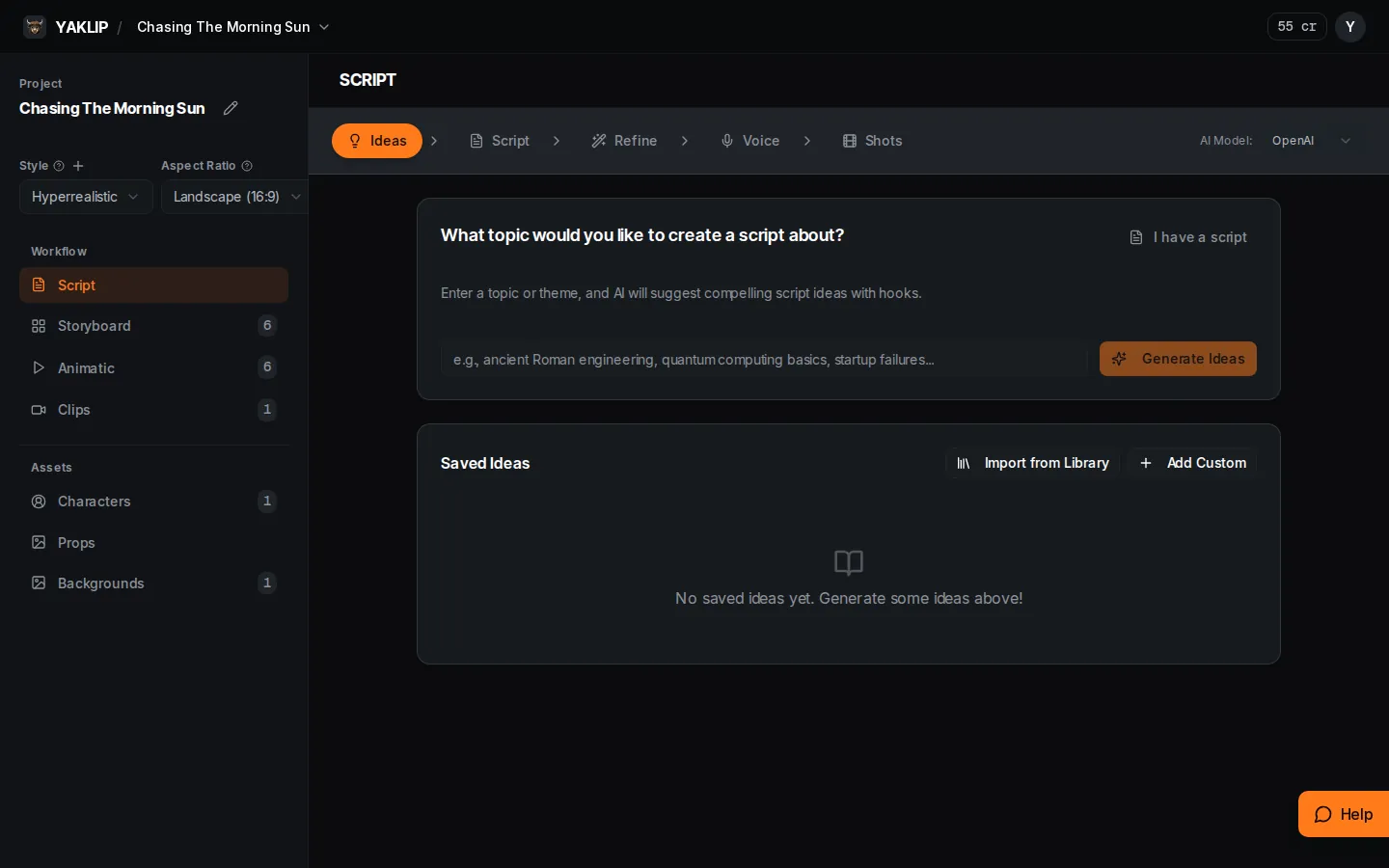
Yes. The Script tab has an AI Model selector with OpenAI and Gemini choices. This selects the script provider, separately from your image or video model.
Related guides
Got any questions left?
Does a paid plan unlock different models?
Yes. Every plan includes these models. Images: Seedream 4, Nano Banana 2.1, GPT Image and DALL-E 3. Video: Seedance 1 Lite, Pro and Pro Fast, Kling 2.5 Turbo Pro, Seedance 2.0 Mini, Hailuo 2.3 Fast and Veo 3 (text prompt only). Pro and Studio also include Veo 3.1, Kling 3.0, Seedance 2.5, Kling 4.0 to animate your selected frame, and Nano Banana Pro for images with references, including with your own key. (as of November 2026.)
Which image model does not use references?
DALL·E 3 uses text descriptions only.
Do I pay Yaklip credits when using my own keys?
No. Generations that use your own OpenAI, Replicate, ElevenLabs or Gemini key cost zero Yaklip credits, on every plan. Your provider bills you separately. (as of November 2026.)
Where can I compare clip credit costs?
Use the model table above, or the credits shown with current settings in Generate Clip. Generations using your own key cost zero Yaklip credits; the plan requirement for Pro models still applies. (as of November 2026.)
Was this helpful?