
How do I keep characters the same in every frame?
Character references give your storyboard frames a shared image of each cast member.
Published
Updated
How does Yaklip keep a character the same in every frame?
You create and select a character reference image. Frames that list that character use the selected image with GPT Image 1, SeeDream 4, Nano Banana 2.1, Nano Banana Pro. DALL·E 3 uses text descriptions only. If a frame drifts, check its Characters field, try another take, edit a small area, then generate again with a reference-image model. Inspect each result; a reference does not guarantee a match.
What should I set for a character?
- Open Characters in the editor and open a character. This opens Edit Character.
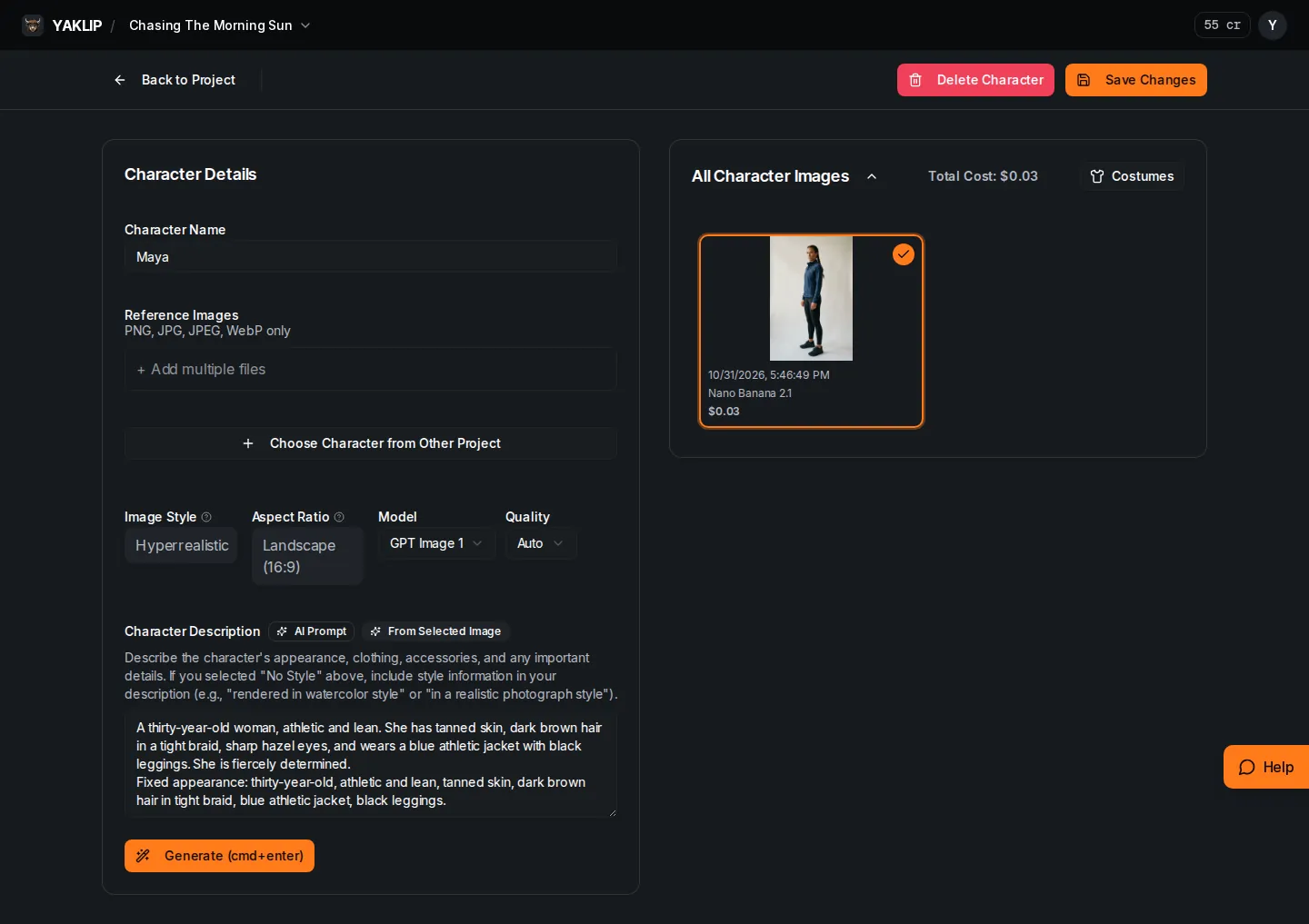
- Set Character Name and describe appearance and clothing in Description. Quick Start adds Fixed appearance text to the saved description.
- Use Reference Images (optional) to add files for generation, or Choose Character from Other Project to import a character image.
- Choose the image you want in Generated Images. The dialog saves your selection for frames that reference this character.
The full character page shown below also accepts PNG, JPG, JPEG and WebP references. It labels Character Description with AI Prompt. From Selected Image indicates description or references loaded from a selected take; it is not a generation button. On that page, choose a take in All Character Images and press Save Changes to save your selection.
Can I use costumes and poses?
- Open a character’s Costumes page. Enter a Name and an Outfit (up to 300 characters), then create the costume.
- Generate a take from the character’s selected image, or upload a PNG, JPEG or WebP take. Select the take you want as the costume reference.
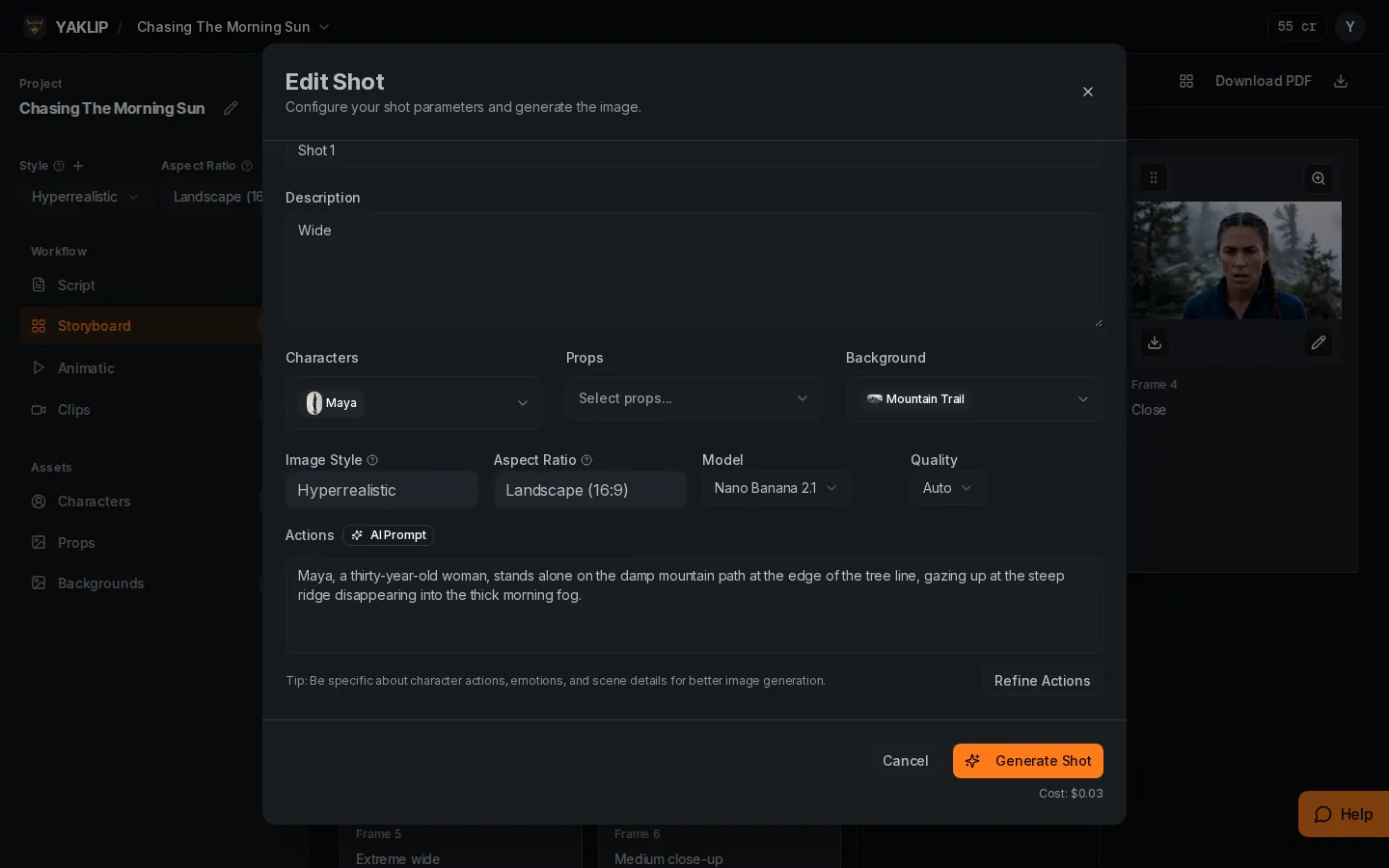
- In Edit Shot, choose the character’s Costume instead of Default outfit. Only costumes with a selected take are available. The frame uses that take and the costume’s outfit text.
Costume generation defaults to Nano Banana 2.1 at 4 credits per take (as of November 2026). You can choose another reference-image model. Your own provider key uses zero Yaklip credits; your provider bills separately. Uploading and selecting a take do not generate an image. Asset saves accept up to 20 image takes or 10 clip takes per item, up to 200 items per batch, and 32 MB per request. Base64 image takes are limited to 8 MB of encoded data each. Media saves are limited to 60 per hour per account. Existing image and sound effect links must point to your Yaklip storage or configured demo media. When duplicating a project, unsupported media links are removed from the copy; the original project is unchanged.
A frame uses a pose or a costume for each character, not both. Choosing one clears the other. Default outfit with no pose uses the base character image. A selected costume keeps the same face, body, age, skin, hair and species while changing the clothes.
Poses belong to a character image. Generate a pose from the selected image, then choose it under Poses (Optional) in Edit Shot. A selected pose replaces the base character image as that frame's reference. With no pose or costume selected, the base image is used.
A character looks different in one frame: what do I do?
- Open the frame and check Characters. Include only the people visible in that shot.
- Check the selected character image and any selected pose or costume.
- Try an earlier take in Generated Images.
- For a small area, use Edit to mask it and describe the change.
- For a new take, keep the right cast and choose a reference-image model such as Nano Banana 2.1. Press Generate Shot.
Related guides
Got any questions left?
Does every model use my reference image?
GPT Image 1, SeeDream 4, Nano Banana 2.1, Nano Banana Pro use references. DALL·E 3 uses text only.
Can I reuse a character from another project?
Yes. Use Choose Character from Other Project on the character page.
Does choosing a pose change the base character?
The shot's selected pose replaces the reference for that frame and clears its costume. It does not change the base character image.
Can I change clothes in just one frame?
Yes. Create a costume, select a take, then choose it in that frame’s Edit Shot. A frame uses a pose or a costume for each character, not both.
Can a small detail still drift?
Yes. The runner example records shoe-color drift in wider frames. Inspect your frames and edit or generate another take.
Was this helpful?