
How do I make and fix a storyboard frame?
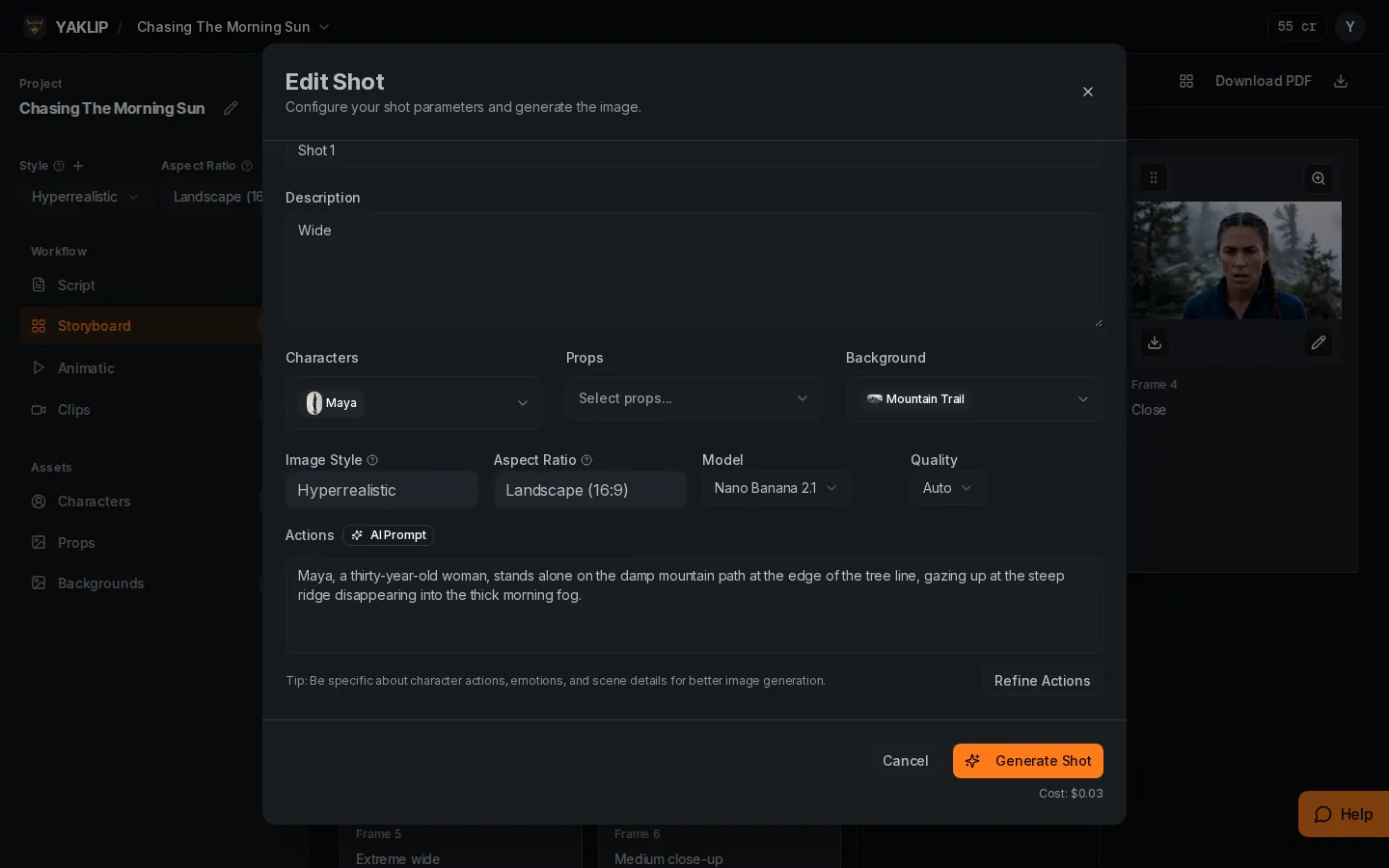
A storyboard frame combines your Actions text with the selected cast, props and background.
Published
Updated
How do I fix a frame I don't like?
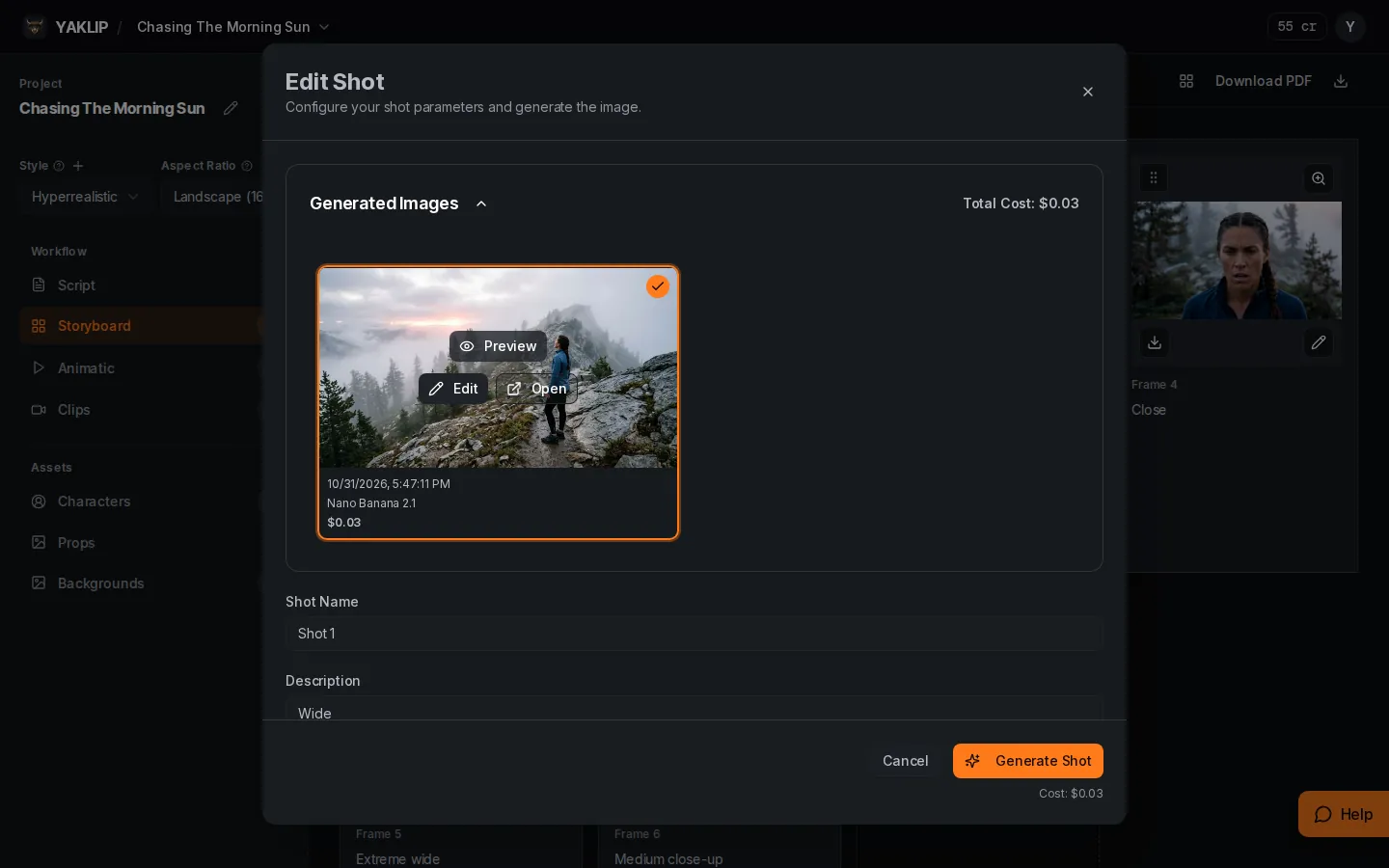
For a small area, use Edit to inpaint it: 5 credits (as of November 2026). For pose or framing, change Actions, optionally use Refine Actions, then press Generate Shot. AI Prompt labels the Actions field. For the wrong person or place, fix Characters, Props or Background. To return to an earlier result, select it in Generated Images. New takes are kept unless you delete them.
What does each Edit Shot field do?
| Field | What you control |
|---|---|
| Shot Name | The saved name of this frame. |
| Description | A separate saved description; Actions supplies the visual generation text. |
| Characters | The cast assigned to this frame. |
| Props | The objects assigned to this frame. |
| Background | The selected place for this frame. |
| Image Style | The project's visual look, shown here; change it in project settings. |
| Aspect Ratio | The project's format, shown here; change it in project settings. |
| Model | The image generator for the next take. |
| Quality | The image quality setting when supported by the model. |
| Actions | What appears in the generated image. AI Prompt is this field's label; Refine Actions rewrites it from your instruction. |
How do I choose or edit an earlier take?
In Generated Images, select the take you want to use. Preview opens a larger view, Edit opens the image editor, and Open opens the image in a browser tab. Selecting a take changes the frame's chosen image. Generating a new take adds another option.
- Choose Edit on the image you want to fix.
- Mask the area and write what you want there.
- Submit the edit, then inspect and select the result.
How do I add, reorder and download frames?
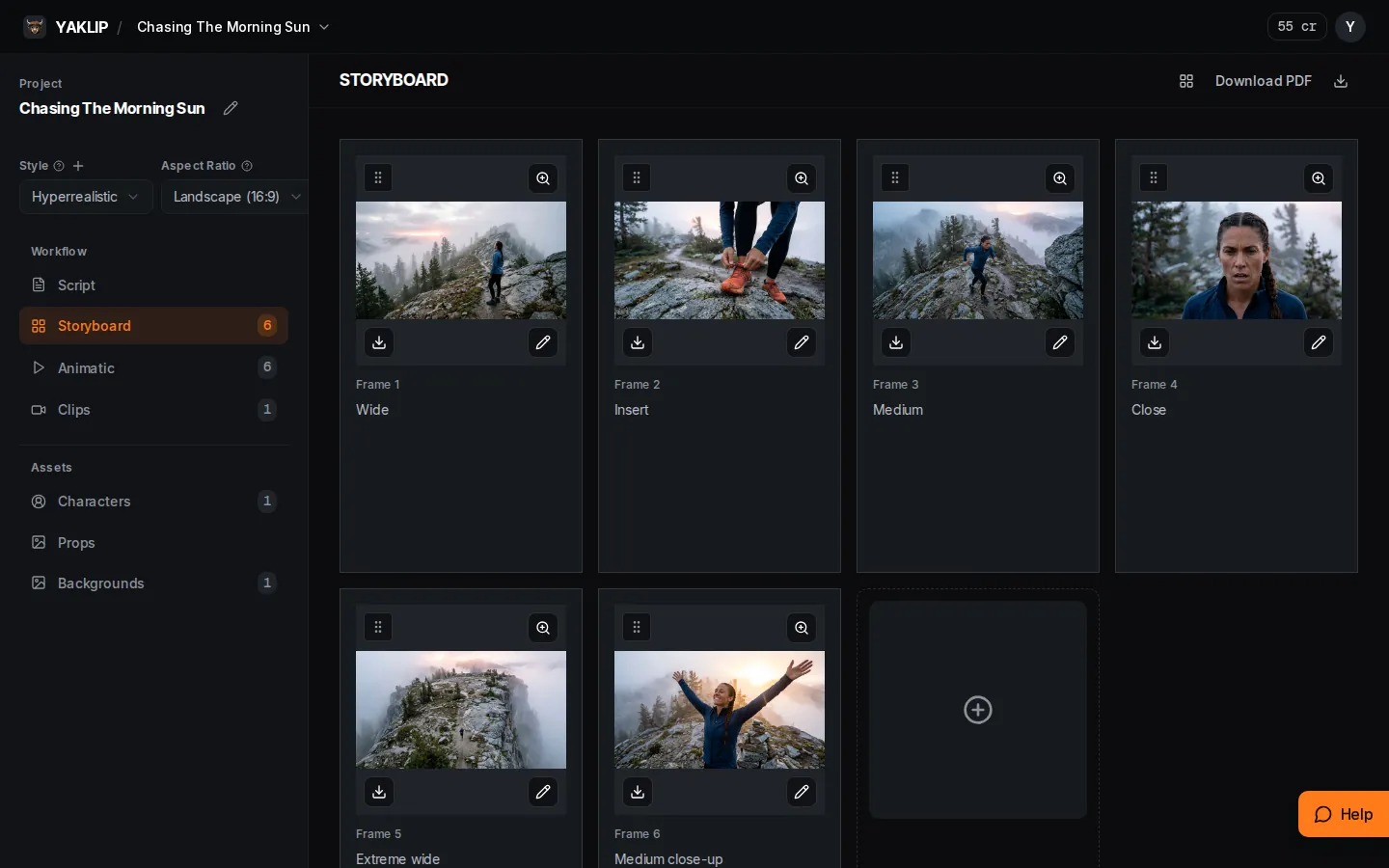
In Storyboard, use Create Shot to create a frame. Drag its handle to change the frame order. Use Download storyboard images for the frame ZIP, or Download PDF and choose 6, 3 or 1 frame per page.
What if generation fails?
A failed generation shows a general error rather than private provider details. Check your generation settings and, if using your own provider key, check that account before retrying. If failures continue, contact support with the job ID.
Related guides
Got any questions left?
Should I edit or generate again?
Try Edit for a small area. For a different composition, change Actions and generate another take.
Does a new take remove the old one?
No. Takes stay in Generated Images unless you delete them.
Why is the wrong character in my frame?
Check Characters and the selected reference image or pose, then inspect the Actions text.
Where do I change the look and format?
Image Style and Aspect Ratio come from project settings. They are displayed in the shot settings.
Was this helpful?