
How do I turn an idea into a script?
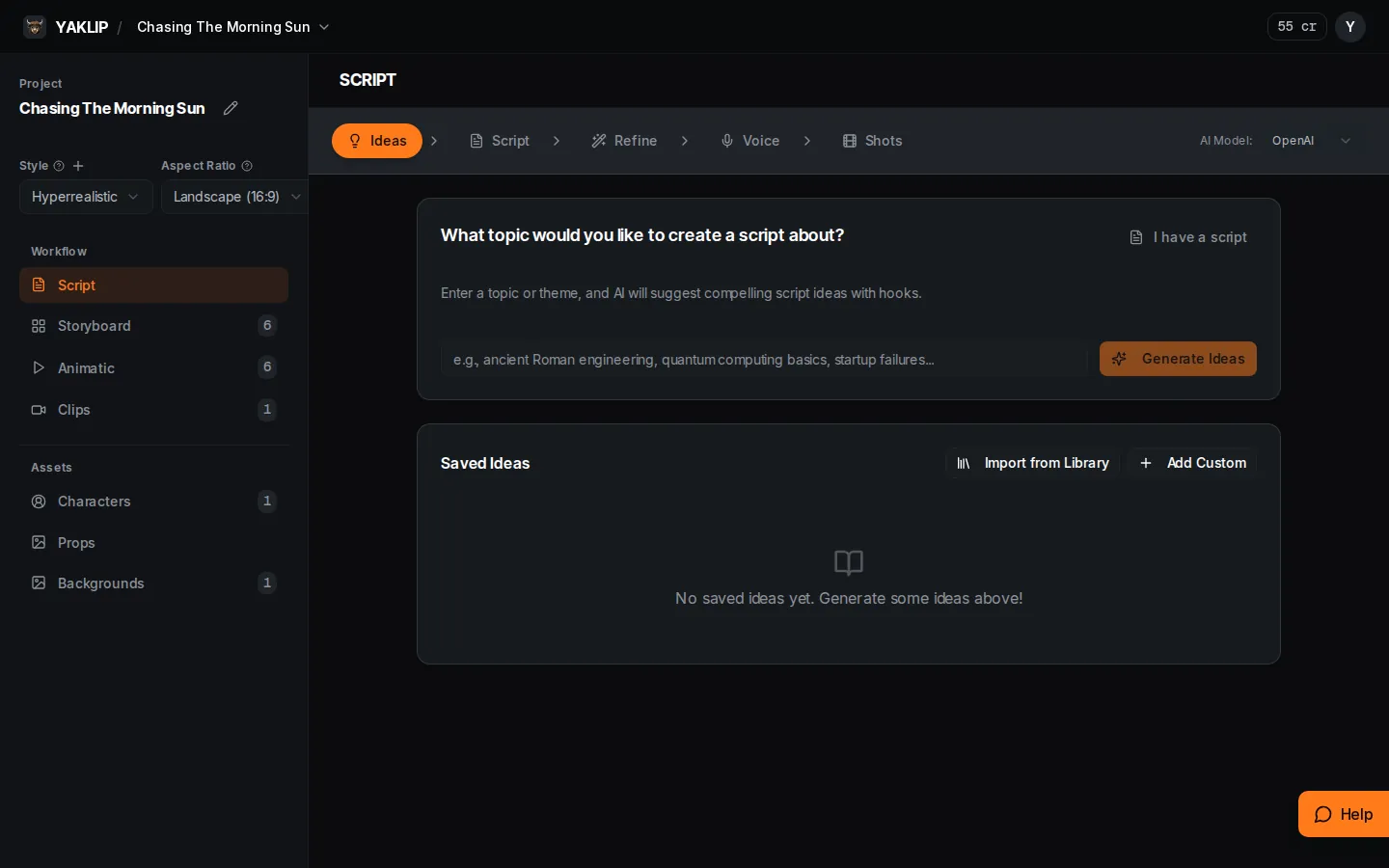
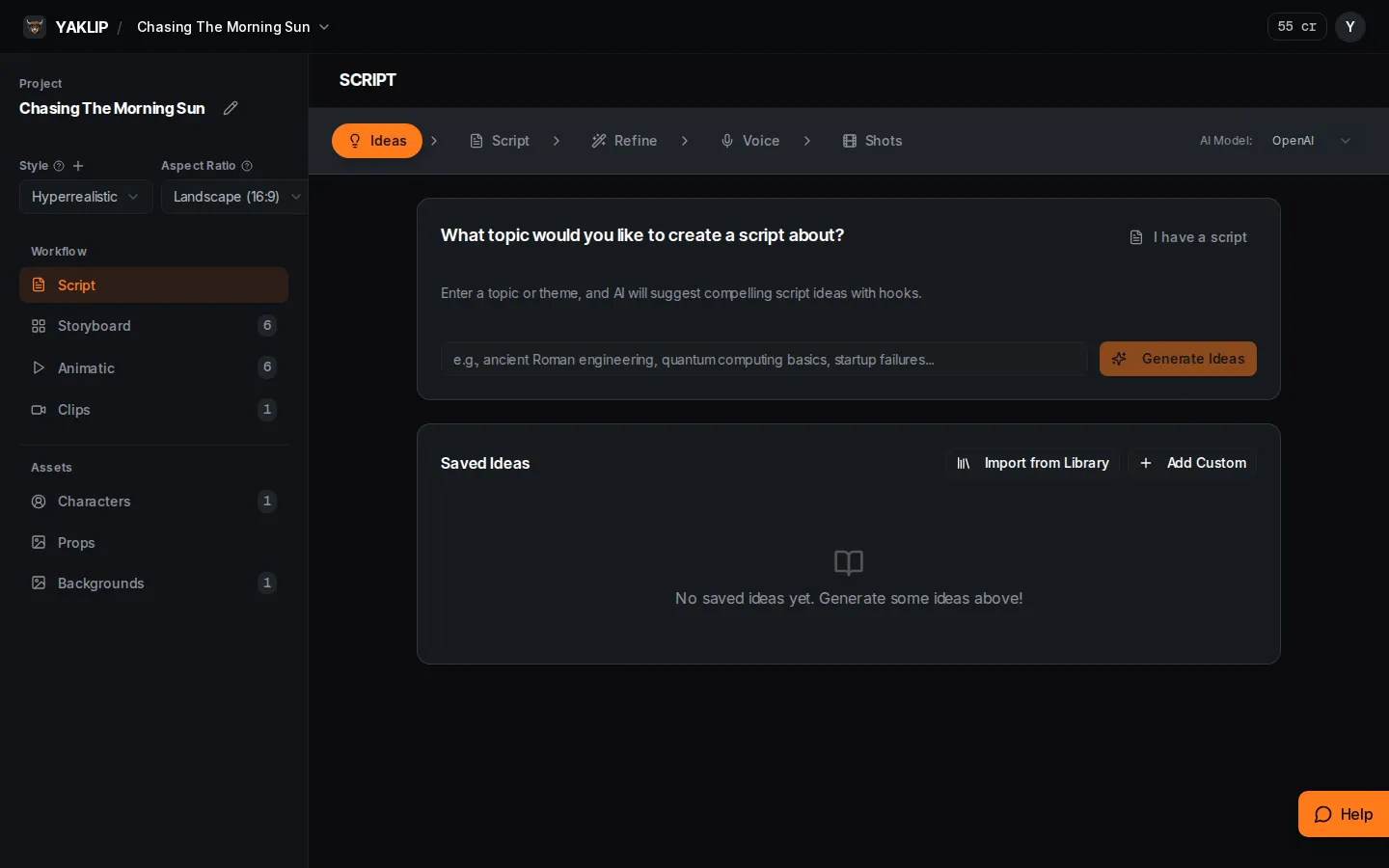
The Script tab is a guided workspace for ideas, script revisions, voiceover and storyboard shots.
Published
Updated
What does each step of the Script tab do?
Ideas helps you find and save a premise; Script expands an idea or holds your own script; Refine revises the wording; Voice makes optional voiceover takes; Shots breaks the script into shots and turns them into storyboard frames. Use Script when you want to review the writing before making frames. Use Quick Start when you want to begin with one idea and a look.
How do I start in Ideas?
- Open Script in the editor. Enter a topic or theme and press Generate Ideas.
- Select suggestions and use Save Selected to put them in Saved Ideas.
- Use Import from Library for a saved library idea. Use Add Custom to enter a title, hook and brief description.
- If you already have text, choose I have a script to go to Script.
How do I write and refine the script?
In Script, choose Expand to Script beside a saved idea, or Start with Blank Script. Edit the title and script content, then Save Changes and Continue to Refinement.
In Refine, Quick Actions can Make Shorter, Make Longer, More Emotional, More Factual or Simplify. For a specific change, write a Custom Request and press Apply. You can also edit the text and Save. Continue to Voiceover when the wording is ready.
How do Voice and Shots become a storyboard?
Voice uses ElevenLabs and requires your own ElevenLabs key. Choose a voice, review the script with delivery tags and use Generate 2 Takes. Voiceover costs 0 Yaklip credits; your provider bills you separately (as of November 2026). You can use Continue to Shots without generating voiceover.
In Shots, add optional guidance and press Generate Shots. Review the shot script lines and action descriptions, then press Create Storyboard. If frames already exist, the dialog asks whether to add to them or replace them. This creates storyboard frames; generate their images in Storyboard.
What does AI Model change and what uses credits?
AI Model selects OpenAI or Gemini for text generation, including ideas, script expansion, refinement and shot breakdowns. It does not select the image or voice provider. Each of these text generation calls costs 1 credit with Yaklip credits, or zero with your own matching provider key (as of November 2026). Manual writing and saving are separate from these AI calls.
What limits apply to reference document uploads?
Reference documents in script guideline management accept PDF, TXT and MD files up to 5 MB. PDFs must contain at most 100 pages. Extracted text must fit within 200,000 UTF-8 bytes. PDF processing has a five-second deadline, and each account may attempt ten uploads per hour (as of November 2026). If a document is rejected, shorten it or split it into smaller references before trying again.
Related guides
Got any questions left?
Can I bring a finished script?
Yes. Choose I have a script, then Start with Blank Script and enter your text.
Do I have to generate voiceover?
No. Continue to Shots lets you proceed without a generated voiceover.
Does AI Model change the frame image model?
No. It selects the provider for script text tasks.
When is Quick Start enough?
Use Quick Start to begin with one idea and a look. Use Script to review ideas, wording and shots step by step.
Was this helpful?