
How do I send my storyboard to a client?
A storyboard handoff is a set of exported files your client or editor can review outside Yaklip.
Published
Updated
What is the best way to share a Yaklip storyboard with a client?
Send a PDF for frame-by-frame review, with 6, 3 or 1 frames per page. Send an MP4 animatic to show timing and mood. Send a ZIP of selected frame images or clips to an editor. Use the script export for a writer. Yaklip has no share link or comments yet, as of November 2026. Send the PDF or MP4 file.
How do I download a review PDF?
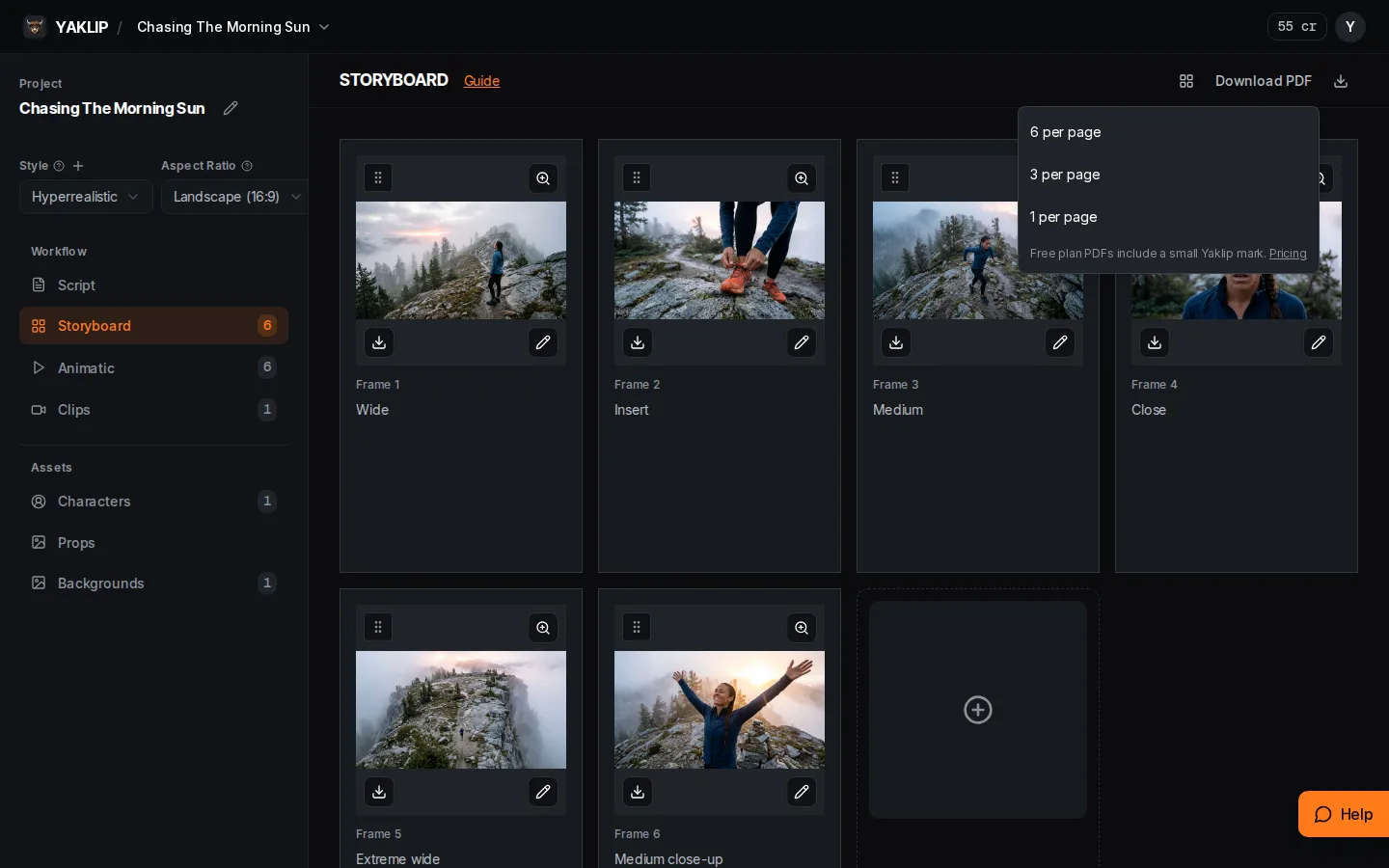
- In Storyboard, open Download PDF. Choose 6 per page for an overview, 3 per page for more space beside the images, or 1 per page for a larger frame.
- The PDF has project details and assets, followed by numbered frames with their chosen images and available action text, script lines and notes. Long text continues on extra pages.
- Free plan PDFs include Made with Yaklip. Active paid plans remove the mark. Save the downloaded PDF and send it to your client.
How do I send images or clips to an editor?
Choose Download storyboard images and Confirm to bundle selected storyboard images into a ZIP. The export includes images matched by each frame's selectedImageId, in storyboard position order. The dialog says you will receive an email with a download link.
In Clips, use the download control to export selected clip takes as a ZIP. Clips are ordered by their storyboard position and given numbered filenames. A selected voiceover is included when its audio is in your Yaklip storage or configured demo media. Choose the takes you want before exporting. ZIP exports are limited to 10 per hour per account, with one running ZIP per project. Links outside your Yaklip storage or configured demo media are skipped and listed in skipped-media.json inside the ZIP. Duplicated demo media remains supported.
How do I download one frame or the script?
Use the Download frame control on a storyboard card to download its displayed image.
On the Dashboard, filter to the projects you want and press Export Scripts. One project with a script downloads as a text file; multiple projects with scripts download as a ZIP of text files. Projects without scripts are omitted.
When should I send an MP4?
Use the Animatic tab to review timing and Export MP4 for a video handoff. Check the related timing and MP4 guide for audio and export limits. Send the downloaded file to your client.
Related guides
Got any questions left?
Can my client leave comments in Yaklip?
Yaklip has no client share link or comments yet, as of November 2026. Send a PDF or MP4 file.
Which PDF layout is best for an overview?
Try 6 per page for a compact overview. Use 3 or 1 per page when you want larger frames.
Does the image ZIP include every take?
No. It exports the images matched by each frame's selectedImageId.
Can I send the writer plain text?
Yes. Export Scripts downloads text for projects with scripts, bundled into a ZIP when there are multiple projects with scripts.
Can I charge clients for these videos?
Yes. See How do I make money selling AI videos with Yaklip? for working out your cost per video and tracking it per client.
Was this helpful?